Your home office might be the weakest link in your entire business. If you’re running a small business in Bradenton or Tampa Bay, the laptop on your kitchen table could be giving hackers the keys to your client data — and you wouldn’t even know it until it’s too late.
The old “Clean Desk” policy — shred the paper, lock the file cabinet, don’t leave passwords taped to your monitor — was simple. But in 2026, your desk isn’t just a desk anymore. It’s a gateway to every cloud app, every client record, and every dollar your business processes.
Clean Desk 2.0 isn’t about keeping things tidy. It’s about making sure nobody can walk up to your workstation and walk away with your business.
An Unlocked Screen Is a Data Breach
Here’s the part most people don’t realize: multi-factor authentication (MFA) — that extra code on your phone when you log in — doesn’t protect you the way you think it does.
Once you’re logged into a web app, your browser keeps you logged in with something called a session token. Think of it like a wristband at a concert. You showed your ticket once at the door (that’s MFA), and now the wristband lets you in and out freely.
If someone steals that wristband, they don’t need your ticket. They just walk right in.
Proofpoint reports that almost half of all accounts taken over by attackers had MFA enabled. The stolen session token lets them bypass it completely — no code required.
This is why an unlocked screen in your home office is a real emergency. If a houseguest, a delivery person, or even someone who breaks into your car where you left your laptop can sit down at your workstation while you’re making coffee, they don’t need to “hack” anything. They just need a few unattended minutes with an open browser session.
The fix is simple: Set your screen to lock after 5 minutes or less. Lock it manually every time you step away. Treat an unlocked workstation the same way you’d treat leaving your office door wide open — because that’s exactly what you’re doing.
That “Still Works” Laptop Might Be Dangerous
Most people keep old tech around for the same reason: it still works. But “still works” isn’t the same as “still safe.”
When a device reaches end-of-support, the company that made it stops sending security updates. That means every new vulnerability discovered after that date stays open forever. No patch is coming. Ever.
The UK’s National Cyber Security Centre puts it bluntly: “The only fully effective way to mitigate this risk is to stop using the obsolete product.”
CISA echoes the same guidance — unsupported devices are a known attack surface and should be inventoried, isolated, or replaced.
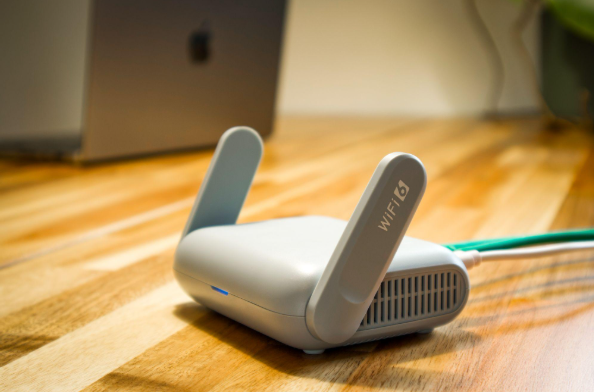
This matters a lot for home offices. That old router from 2019 sitting in the corner? That “backup” laptop nobody’s updated in eight months? Those are the exact devices cybercriminals target first.
Do a quick desk audit this week:
- Check every internet-facing device (router, access point, old laptop, NAS drive).
- Confirm each one is still receiving security updates.
- Retire anything that isn’t. It doesn’t matter if it “still works.”
When AI Runs While You’re Gone
AI tools are becoming part of everyday business software — drafting emails, updating your CRM, moving workflows forward. That’s great for productivity.
But here’s the risk nobody’s talking about: if an AI agent is running a process on your workstation and you step away from an unlocked screen, it’s like leaving a loaded cash register open at your store. Someone doesn’t need technical skills to cause damage. They just need to click, approve, or change something while the automation is running.
You don’t have to ban AI from your business. Just set clear boundaries:
- Which actions can the AI do on its own?
- Which ones require you to say “yes” first?
- What are the spending limits if money is involved?
Think of it like giving an employee a company card. You wouldn’t hand someone unlimited access with no rules. Your AI tools deserve the same guardrails.
Cloud Waste Is the Quiet Leak
Not every data risk is dramatic. Some are just expensive.
Cloud waste shows up as servers running 24/7 that nobody uses, test environments that never get shut down, and storage that keeps growing because nobody’s in charge of cleaning it up. It’s like leaving every light on in your office building — every single night.
The fix is the same discipline that keeps a physical workspace under control: know what you’re using, assign ownership, and turn off what you don’t need.
Review your cloud resources monthly. Assign each one to a person. Schedule anything non-essential to power down outside business hours. These small habits cut costs and shrink your attack surface at the same time.
Your Home Office Is Your Business Perimeter Now
In 2026, the home workspace isn’t a “nice to have” setup on the side. It’s part of your business perimeter. Every device on your desk, every screen you leave unlocked, every old piece of tech still plugged in — it’s all connected to the systems your business runs on every day.
Clean Desk 2.0 boils down to a few modern basics: lock your screens, retire unsupported hardware, set rules for automation, and stop paying for cloud resources you’re not using. When those habits are in place, the small lapses that happen in a home office stop turning into the big problems that sink businesses.
Not sure where your home office stands? Book a free 15-minute call with Justin and Sara at Reef Cyber Security. We’ll walk through your setup and tell you exactly where your biggest risks are — no jargon, no sales pitch, just straight answers. Book your call here.