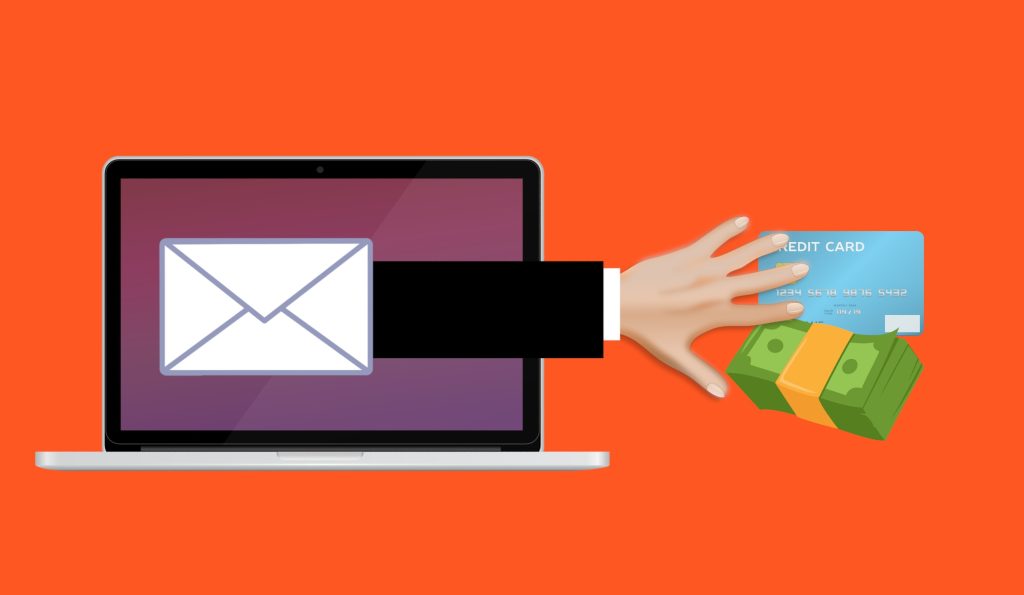
“Just look for the typos.” That’s what most business owners in Bradenton still tell their teams about phishing emails. It used to be solid advice. Scam emails were sloppy — broken grammar, weird formatting, obvious mistakes. If something read like it was written by a stranger who barely spoke English, you deleted it. Simple. But that rule just got your business in serious trouble, because scammers don’t make typos anymore.
The Myth: “If It’s Written Poorly, It’s a Scam”
Attackers now use AI to write their phishing emails. And AI writes flawlessly.
The UK’s National Cyber Security Centre reported that generative AI can produce convincing phishing lures “without the translation, spelling and grammatical mistakes that often reveal phishing.” The FBI warned that attackers are generating messages that are “flawless in grammar and spelling.” These aren’t blog opinions. These are assessments from two national security agencies.
The old playbook is dead. If you’re still training your team to spot scams by looking for bad writing, you’re training them to catch yesterday’s threats while today’s walk right through.
What Lands in Your Inbox Now Looks Like This
Forget the Nigerian prince. Modern phishing emails look like:
- A message from your boss asking you to buy gift cards for a client event.
- An invoice from a supplier — same format as always — but the bank details have quietly changed.
- A Microsoft 365 security alert telling you to reset your password right now.
- A DocuSign request to review and sign a document you were half-expecting.
Many are personalized using information scraped from your website, LinkedIn, and social media — your name, your company, your job title, even the names of people you work with. If you run a law firm or CPA practice in Tampa Bay, your team’s names and titles are probably listed right on your website for anyone to use.
The New Rule: Don’t Ask “Does This Look Real?” — Ask “What Does It Want?”
Since perfect grammar no longer separates real from fake, you need a different filter. Here’s the stair-step approach — four questions, asked in order, every time an email asks you to do something:
Step 1: Is it creating urgency? Real emails rarely demand you act in the next five minutes. If you’ll “lose access,” “miss a deadline,” or “face a penalty” unless you act right now, that pressure is almost always manufactured. Slow down.
Step 2: Does it involve money or payment changes? Any email asking you to send funds to a new account, update payment details, or buy gift cards is high-risk. Always verify by calling the sender on a number you already have — never a number from the email itself.
Step 3: Does it want you to click a link or open a file? Hover over links before clicking. Does the address actually match the company claiming to send it? If you’re not sure, go to the website directly by typing the address in your browser. Treat unexpected attachments the same way.
Step 4: Does the request skip normal process? If your managing partner emails asking you to wire $40,000 to a new account and it skips the usual approval chain, treat it as suspicious. Walk over and ask them. Pick up the phone. Don’t just reply to the email.
$2.77 Billion Lost to Fake Emails Last Year
The FBI’s 2024 Internet Crime Report logged $16.6 billion in total cybercrime losses — the highest figure on record at the time. Business email compromise alone accounted for $2.77 billion of that. Phishing and its variants were the most-reported crime type, with over 193,000 complaints filed.
Those are just the cases people reported. The real number is higher. And small businesses — financial advisors, accounting firms, dental practices — are disproportionately targeted because attackers know they often lack dedicated security staff.
Three Things to Do at Your Business This Week
Update the training. Tell your staff that AI has made scam emails look professional, and that “look for typos” no longer works. Shift the focus to what the email is asking them to do — not how it reads.
Add a verification step for payments. Any request to change payment details, send a wire, or buy gift cards requires a phone call to the person making the request — on a number you already have on file. This one rule could save you from a six-figure loss.
Turn on multi-factor authentication. If a password is stolen through phishing, MFA blocks the attacker from getting in. It’s the single most effective technical control you can add, and it’s usually free to enable.
Your business handles sensitive data — client financials, legal documents, patient records. One convincing email to the wrong person on the wrong morning is all it takes. If you’re not sure your team is ready for the way phishing works now, let’s find out together.
Book a free 15-minute risk assessment with Justin and Sara at Reef Cyber Security.
Or call us at (941) 243-1718.