A CPA firm in Florida logged into their website on a Monday morning and found it selling counterfeit handbags. Not on purpose — hackers had quietly injected hundreds of hidden pages into their WordPress site weeks earlier. Google had already flagged the domain as dangerous. Every client who Googled the firm’s name saw a bright red warning: “This site may harm your computer.”
The firm didn’t even know until a client called to ask if they’d been hacked. They had. And the damage took three months to undo.
If you’re a small business owner in Bradenton or Tampa Bay, your website is probably the last thing on your mind. You set it up, it works, so you stop thinking about it. That’s exactly what makes a neglected website one of the easiest ways your business gets compromised.
Hackers don’t pick you by name — they scan for weak spots
Most small-business sites run on WordPress, which powers about 41% of all websites worldwide (W3Techs, 2026). WordPress itself is solid. The weak link? Plugins.
Attackers run automated tools that scan millions of websites looking for plugins with known security holes. When the scanner finds one, it breaks in. No human involved. Nothing personal. Your accounting firm or law practice just happened to have an outdated plugin.
Patchstack’s 2025 security report found that 96% of WordPress vulnerabilities discovered in 2024 came from plugins. Not WordPress core. Not the theme. The plugins you installed once and forgot about.
What a hacker actually does with your website
They don’t care about your business. They want your website as a tool:
- Spreading malware. They inject code so anyone visiting your site unknowingly downloads something harmful. Your clients visit your page, and their computers get infected.
- Hosting phishing pages. They add hidden pages that look like a bank login or email sign-in, then use them to steal passwords. Your domain ends up in security databases as a phishing host.
- SEO spam. They fill your site with hidden links selling counterfeit products. Google’s crawlers find them, your site gets flagged or removed from search results. Recovering your ranking takes months.
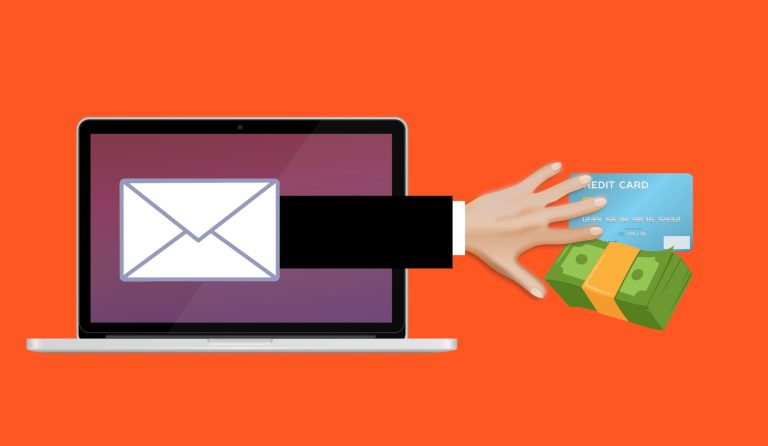
- Stealing form data. If your site has a contact form or booking form, a hacker can redirect what visitors type to an address they control. Even a handful of stolen records counts as a data breach.
Google will shut you down before you even notice
Google runs its own scans. When it spots malware or phishing on your site, it slaps a warning screen in front of your page: “This site may harm your computer.” That screen stops almost everyone from clicking through.
Your site stays flagged until you clean it up and request a review. That process can take days or weeks. During that time, you’ve lost traffic, leads, and the client trust that took years to build. Google Safe Browsing protects over five billion devices and assesses more than 10 billion URLs daily.
For a financial advisor or CPA in Manatee County, having your website flagged as dangerous isn’t just embarrassing — it’s a client retention crisis.
Five things you can check right now
1. Update your plugins and themes. Log into your WordPress dashboard and check the Updates page. If anything is waiting, install it. If you’re not sure whether updating will break something, that’s a sign you need someone managing this for you.
2. Delete plugins you’re not using. Every installed plugin is an entry point — even if it’s deactivated. Don’t just turn it off. Delete it.
3. Audit who can log in. Go to Users in WordPress and review the list. Remove anyone who no longer needs access. Every admin account should use a strong, unique password and multi-factor authentication.
4. Check your site through Google’s eyes. Go to Google Safe Browsing and enter your website address. If your site is flagged, treat it as an emergency.
5. Make sure someone is actually watching. The biggest website security problem isn’t a lack of tools. It’s that nobody is looking. Updates don’t install themselves. Problems don’t announce themselves. Someone — a person, not a hope — has to be responsible.
The basics that save you: SSL and hosting
Your site should run on HTTPS, not HTTP. That padlock in the browser bar means the connection between your visitor and your site is encrypted. Without it, information people type into your forms could be intercepted. Most hosting companies offer SSL certificates for free.
Your hosting provider matters too. Cheap hosting often lacks proper firewalls, regular backups, or responsive support. If your host can’t explain what they do to protect your site, that’s a red flag.
Fixing a hack costs 10x more than preventing one
If you’re not sure who manages your website — or if nobody has logged in to check on it in months — it’s already overdue. A short security review can tell you whether your site is secure, whether your plugins are current, and whether someone has already been inside.
Cleaning up a hacked site can mean rebuilding it from scratch if no clean backup exists. That’s weeks of downtime, thousands of dollars, and client relationships you may not get back.
Don’t wait for the phone call from a worried client
If you’re a small business owner in Bradenton or Tampa Bay and you’re not sure whether your website is secure, let’s find out together. We’ll take a quick look and tell you what we find — plain English, no pressure.
Book a free 15-minute risk assessment with Justin and Sara at Reef Cyber Security.