Last month, an accounting firm in Tampa Bay got an email that looked like it came from Microsoft. “Scan this QR code to verify your identity,” it said. One team member pulled out her phone, scanned the code, and typed in her login. Within two hours, the attackers had her email, her client files, and a foothold inside the firm’s network. She never clicked a single link.
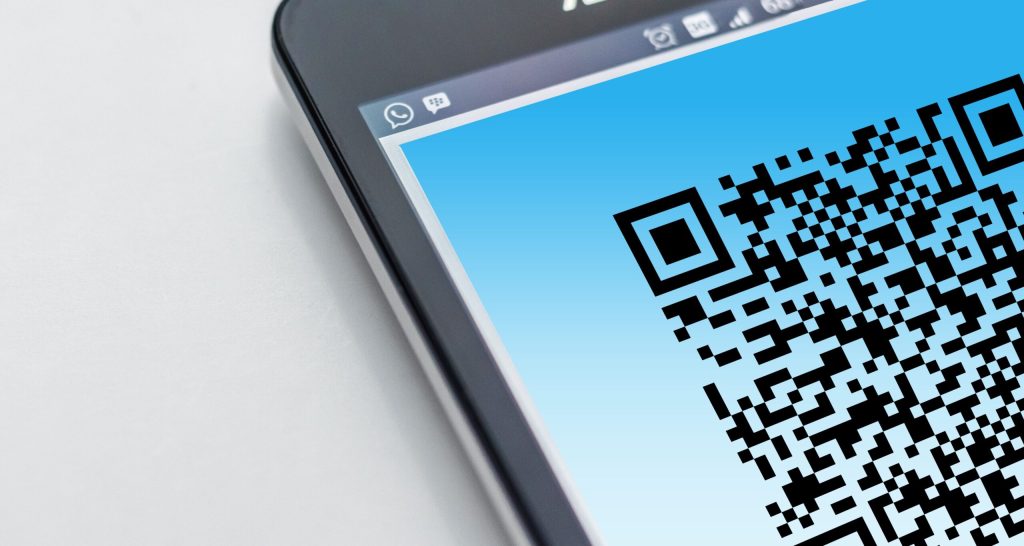
That’s the new trick. It’s called quishing — phishing hidden inside a QR code. And it’s exploding.
Microsoft reported a 146% rise in QR code phishing during the first quarter of 2026, with nearly 18.7 million incidents recorded in March alone. If your Bradenton practice relies on email — and you do — this matters.
Why a QR Code Is the Perfect Disguise
Your email security is smart. It reads every link in every message, checks it against known threats, and blocks the dangerous ones.
But a QR code isn’t a link. It’s an image. Most email filters don’t crack open the image to read what’s hidden inside. So the email sails through looking perfectly clean.
Here’s the second problem. When you scan that QR code, you almost always use your personal phone. Your phone doesn’t have your firm’s security tools on it — no web filter, no managed browser, no endpoint protection. You’re on your own, staring at a tiny screen, looking at a login page that’s nearly identical to the real thing.
What These Scams Actually Look Like
If you run an accounting firm, law office, or financial advisory practice in Manatee County, here are the versions most likely to land in your inbox:
- Fake MFA verification. “Your multifactor authentication needs to be re-verified. Scan this code.” The code sends you to a page that captures your password and your MFA token at the same time.
- Fake document shares. “A client shared a secure document with you.” You scan, you log in, and now the attacker has your credentials.
- Fake invoices. A realistic-looking invoice with a QR code for payment. The money goes to the attacker, not your vendor.
- Tampered public codes. A sticker slapped over a real QR code at a parking meter or restaurant. You think you’re paying for lunch. You’re handing over your card details.
This Isn’t Just an IT Problem
Here’s what makes quishing dangerous for professional firms specifically. Your team handles sensitive client data — tax returns, legal documents, financial plans. One compromised login can expose all of it.
And because the attack happens on a personal phone, your firm may never see it in your security logs. The breach starts outside your network, then works its way in. By the time you notice something’s wrong, the damage is done.
Six Habits That Keep You Safe
You don’t need to stop using QR codes entirely. You just need a few ground rules:
- Never scan a QR code from an email. If Microsoft, Google, or a client needs you to log in or view a document, go to their website directly. Type the address yourself.
- Preview before you tap. Most phone cameras now show you the URL before opening it. Read it. If it looks odd, don’t proceed.
- Check for tampering in public. If a QR code sticker looks like it was placed over another one, walk away.
- Train your whole team. Your staff has probably been trained on phishing emails with links. QR code phishing is the same trick in a different wrapper — make sure your cyber hygiene training covers it.
- Protect personal phones. If your team uses personal devices for anything work-related, consider a mobile security policy. One unprotected phone can be the doorway into your entire firm.
- Ask for a second opinion. If something feels off about a QR code — even slightly — check with your IT support or a security consultant before scanning.
The 30-Second Version
QR code phishing is rising fast because it bypasses email security and catches people on unprotected personal phones. The scams look real. They target the same credentials that protect your client data. And one scan is all it takes.
Forward this post to your team today. Then take five minutes to talk about it at your next staff meeting.
Want to know if your firm’s email security can catch QR code phishing? Book a free 15-minute risk assessment with Justin and Sara at Reef Cyber Security.